
Capture or Editing - Which Has the Biggest Influence on Landscape Photography?
How much of a photographer’s vision is realised in post processing? Is the look of a landscape photograph fixed at the point of capture? Can one raw file produce two different photographs? In this post, I aim to answer this question by editing another photographer’s raw file in Lightroom.
Virtual Collaborations
Collaborations can be a great way to discover more about your photography. They can also be a lot of fun. That being said I don’t do them that often. I tend to only do them with photographers I know and trust, and when the idea is unique or interesting. They require a fair bit of planning and coordination, but they can be rewarding if they benefit everyone involved in the collaboration.
Time is perhaps the biggest enemy of collaborations, but in recent months it’s been a very different issue. I don’t need to go into too much detail here. I’ll just mention the word “lockdown” and you’ll know exactly what I mean.
With travel not possible I found myself a bit stuck for collaboration ideas when I was chatting to my mate and fellow photographer Chris Sale the other day. We were both looking for something we could do together that didn’t involve travel. I’ve worked with Chris a few times on various projects, such as the documentary I made about him recently, but whatever we’ve done, we’ve normally done it in person.
How Important is Post-Processing?
As I chatted with Chris, I came up with the idea of editing each other’s raw files. This would be something we could do without meeting up, but it would still hopefully prove to be interesting. Neither of us would normally let someone else edit one of our raw files, but we’ve been friends for a while now so we both felt we could trust each other with our precious digital negatives.
The question we were aiming to answer in our collaboration was how much influence does post-processing have on the final image? If you give one raw file to two different photographers, how different will the results be? Is the output of the image fixed at the time of capture, or does the photographer's post-processing style have a significant impact on the output? You get the idea!
In the videos below you’ll find Chris editing one of my raw files, and me editing one of Chris’ raw files. At the end of each video, we’ll present our results back to each other, and compare them to the photographer's original edit. How different will the photographs look? Find out below.
Did the results surprise you? Would you ever let someone edit one of our raw files? Let me know in the comments below

How I Manage My Images in Lightroom - From Import and Export
In the blog this week I share with you Adobe Lightroom workflow. I show you how I manage my images from import to export and everything in between.
My Lightroom Workflow
I've been using Adobe Lightroom since version 3 and over the years I've been fine-tuning my image workflow around its capabilities. While its image processing speed had left me screaming up until a recent update, I've always liked its ability to organise and manage my photographs.
In the video below I share with you my Lightroom workflow. I show you how I import my images, select images for processing, apply keywords, rate images and finally get them ready for export. There are lots of different ways to do Digital Asset Management (DAM) in Lightroom, so my way is probably neither the right way, nor the wrong way, but hopefully, you'll be able to take something away from this video and use it in your workflow.
Do you have any Lightroom tips for image organisation? How does your workflow differ? Let me know in the comments below.
My Other Workflow Videos
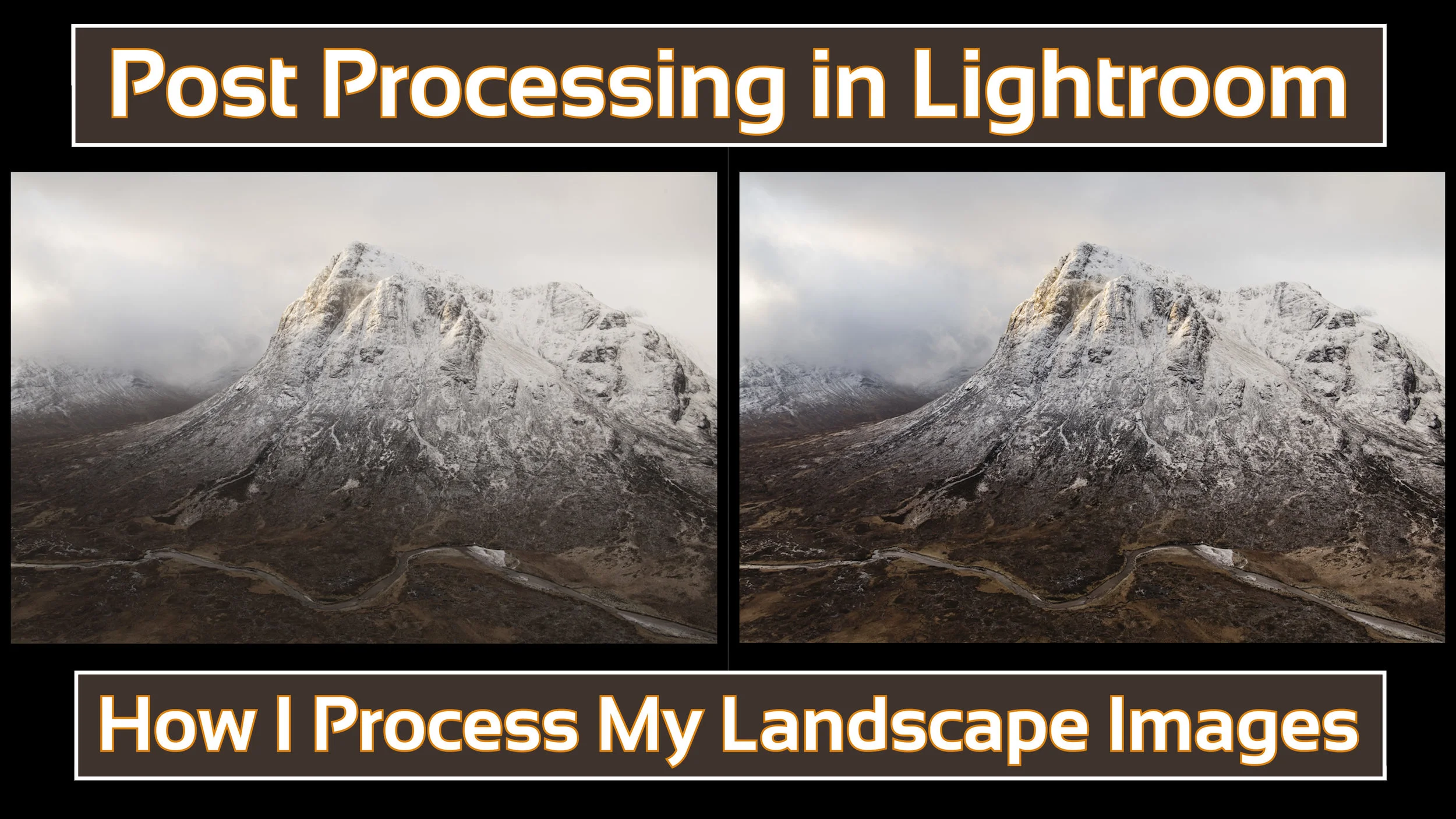
How I Post Process My Landscape Images in Lightroom
In the blog this week I share a video on how I post process my landscape images using Adobe Lightroom.
As Requested!
Over the last few months, an increasing number of my YouTube followers have asked about my post-processing technique and would I do a video on the subject. Well, I finally found a suitable gap in my schedule to create a post-processing video and you can watch it right here:
As I said in the video, what I do is not necessarily the right way or the only way to do post-processing, it's just the way I do. Hopefully, even if you already know Lightroom you might have picked up on something new that you didn't know about.
Anyway, just a really short blog post from this week. I just wanted to share that video.
Are you interested in how I backup my data? Would you like to know how I manage my Lightroom catalogue? Let me know in the comments below.
Bad Weather Photography
In the blog this week I remember to "embrace the grey" and head out to Dawlish to get some photos in less than optimal conditions.
Time to Embrace the Grey
I once went on a Nikon School one day workshop with Jeremy Walker. I remember the weather not exactly being great but one thing stuck in my mind from that day. As Jeremy was laying out the plans for the day he already knew it was going to be an overcast day. His advice was to "embrace the grey".
I did just that with this photograph:
Banjo Pier, Swanage. Nikon D750, Nikkor 16-35mm f/4 at 28mm, f/11, 30 secs, ISO 100, Lee Filters Big Stopper.
Now I may have mentioned once or twice on the blog recently that the recent weather has been playing havoc with creativity. So when the weather forecast for the week was looking grim I decided enough was enough and I was going yet again embrace the grey!
I needed to find an appropriate location to make an image but when I remembered about the stone groynes at Dawlish my mind was set. So off I headed with a clear vision of what I wanted to capture.
Despite the weather. No hang on, because of the weather, I really enjoyed myself at Dawlish. It made me look at the location with different eyes.
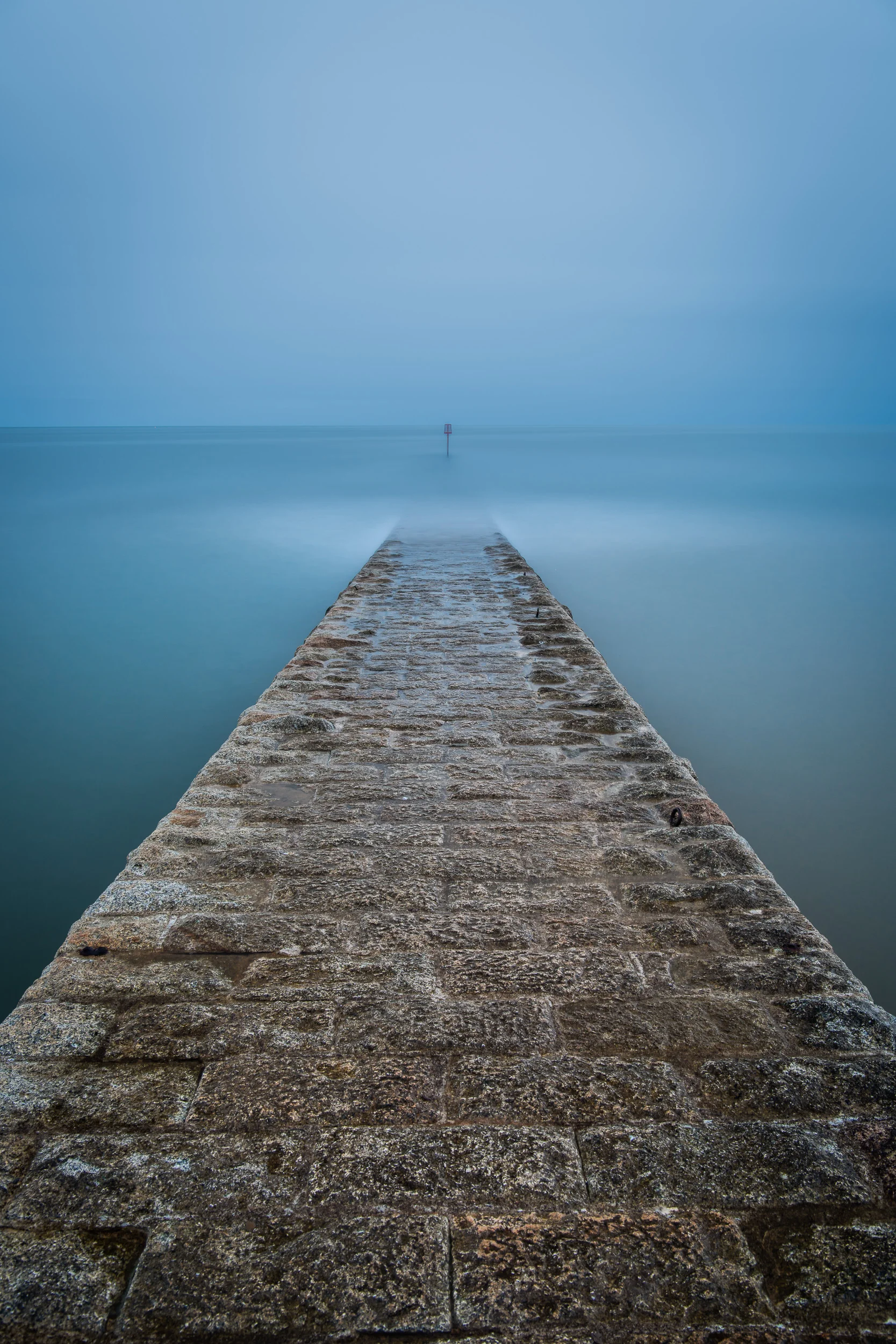
Here's what I photographed:
Nikon D850, Nikkor 24-70mm f/2.8 VR at 31mm, ISO 64, 5 minutes at f/11, Lee Filters Circular Polariser and Big Stopper.
If you want to see how I went about capturing the image, here's a short video I shot while I was there...
So do you have a favourite bad weather location to take photographs? Is there really such thing as bad weather for photography? Let me know in the comments below.
PS.
On a little side note, I'm very happy to say that Adobe has now updated Lightroom to support the Nikon D850. This means I no longer have to convert the files to DNG format first. I can now import the NEF (raw) files straight from my memory card. I was so happy about this I posted a video on my YouTube channel.

Finding a Gem in My Back Catalogue
In this blog post I talk about the value of looking back at your catalogue of images and how you might just find a little gem in there.
Super Dad 1, Photography 0
As I mentioned in last weeks blog post the winter months are playing havoc with my ability to get out and take pictures. However, last weekend it wasn't the weather or the short days that stopped me getting out with the camera. My wife was away for a well deserved break so I was left holding the fort with the kids. So unless you count some family snapshots as photography it was a shutter free weekend.
Competition Time
Not one to let the lack of camera action stop me from scratching my photography itch I decided I would get together my entries for this year's South West Coast Path photography competition. This is my first year entering this competition and it looks like a good place to hopefully show case one of my images. It's also good to see that they have respected landscape photographer Adam Burton on the judging panel.
The Power of the Catalogue
Fortunately a lot of my photography takes place along the South West Coast Path so I had a good range of images to work from. It was also really easy to find them. I'm a Lightroom user and I like to keyword my images. I don't keyword all my images on import, but any image that I complete editing on gets a full set of keywords. So when it came to finding all my 4 and 5 star images taken on the South West Coast Path it was a matter of just creating a dynamic collection and there they all were.

Creating a dynamic collection allowed me to find all my images from the South West Coast Path.
Finding A Gem
Winning images from the competition will be published in the South West Coast Path 2018 calendar and while the rules didn't preclude the inclusion of vertical orientation images I thought I'd stick with horizontal orientation. The slight problem was that I had a series of images from Trevose Head that I had taken earlier in the year and while I was very happy with them, they were all of vertical orientation.

I had a couple of options. I could either submit a vertical orientation image or bypass my Trevose Head images all together. I knew I would have taken images in both orientations so I right clicked the one the Trevose Head images and selected the collection it was in. (I add each photo shoot to it's own collection so it was easy to find).
Almost immediately I found what I was looking for. Best of all though the image had been mostly processed to completion. It only needed a bit of dodging and burning in the sky and it was ready to go. At the time I must have done a basic edit on it and then ditched it in favour of the vertical version. With a few clicks I had a new image and the competition entry I was looking for.
This is the image I found in my catalogue and have now entered into the competition.
Check Your Catalogue
Finding this image has made me think about what other images I might have lurking in the depths of my Lightroom catalogue. How many other images were culled during the editing phase in favour of a different composition?
What about you? Do you have a back catalogue of images with some hidden gems? Do you process your images straight away or leave them for a bit and come back to them at a later date? If you cull an image is it culled forever? Let me know in the comments.